Laptop Sleeve vs Laptop Bag: What’s the Difference?
A laptop sleeve and a laptop bag can both protect a computer, but they are designed for different jobs.
A laptop sleeve is mainly a close-fitting protective layer around the laptop. It keeps the device separate from other objects and adds padding without adding much bulk.
A laptop bag is a complete carrying product. In addition to a laptop compartment, it normally provides space for chargers, cables, documents and other daily items, together with handles or shoulder straps.
The easiest way to distinguish them is:
A laptop sleeve protects the laptop.
A laptop bag carries the laptop and the rest of your daily gear.
For some users, one is enough. For others, the most practical setup is actually a sleeve inside a larger bag.
Laptop Sleeve vs Laptop Bag at a Glance
| Feature |
Laptop Sleeve |
Laptop Bag |
| Main purpose |
Protect one device |
Carry laptop + other items |
| Size |
Slim |
Larger |
| Storage |
Very limited |
Multiple compartments |
| Carry method |
Hand carry or inside another bag |
Handles, shoulder strap, backpack straps or tote handles |
| Weight |
Usually lighter |
Usually heavier |
| Laptop fit |
Close-fitting |
Dedicated compartment inside larger bag |
| Charger storage |
Limited or none |
Usually available |
| Documents |
Limited |
Usually easier to carry |
| Daily commuting |
Good inside another bag |
Very suitable |
| Short meetings |
Very convenient |
Can be more than necessary |
| Travel |
Useful as an inner protective layer |
Useful as a primary carry bag |
| Branding area |
Simple, clean surface |
Larger and more varied |
| Construction complexity |
Lower |
Higher |
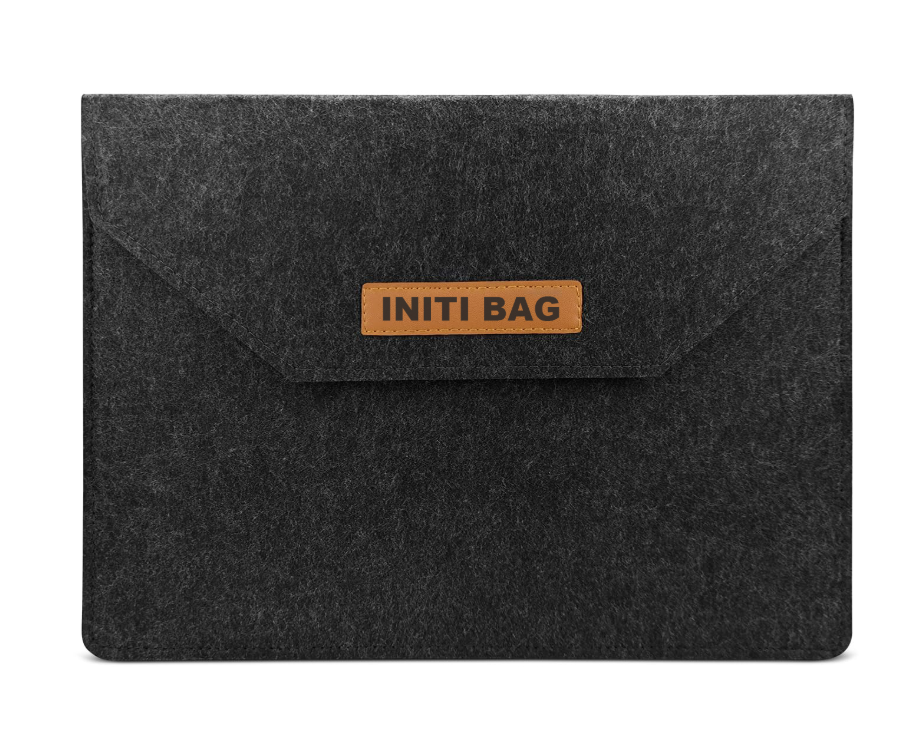
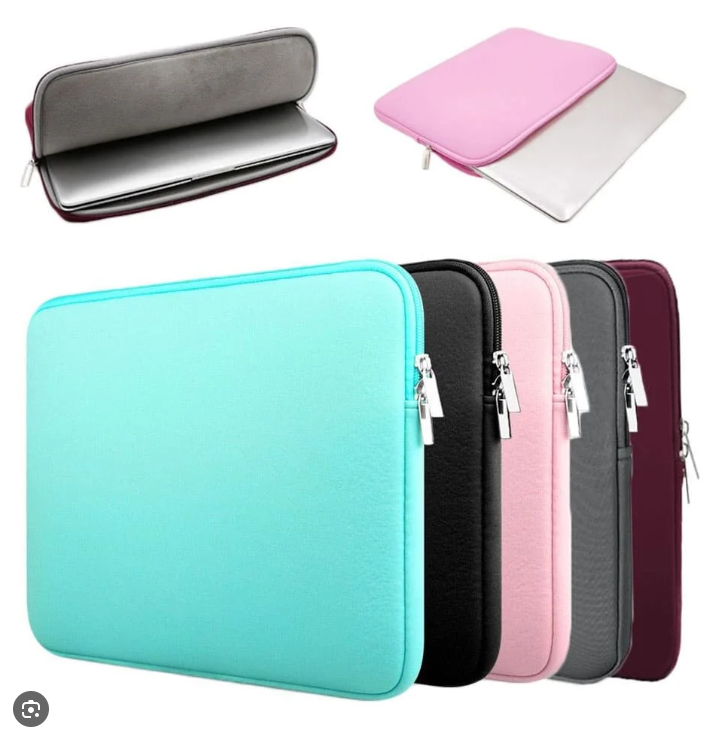
A laptop sleeve is a slim cover designed around the dimensions of a laptop or tablet.
Common sleeve structures include:
- Zipper closure
- Envelope flap
- Hook-and-loop closure
- Magnetic flap
- Open-top slip design
Some sleeves have:
- One front pocket
- A small handle
- Additional padding
but they usually remain much simpler than a full laptop bag.
A sleeve can be:
- Carried by hand
- Placed inside a backpack
- Put inside a tote
- Packed in a briefcase
- Used inside luggage during travel
The main idea is to protect the device without creating another large piece of luggage.
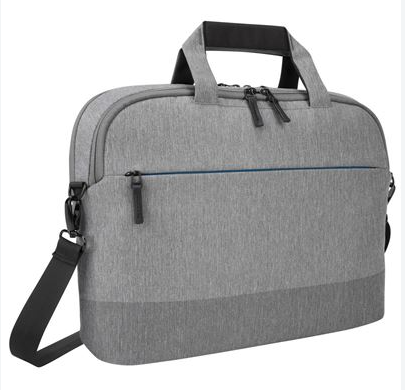
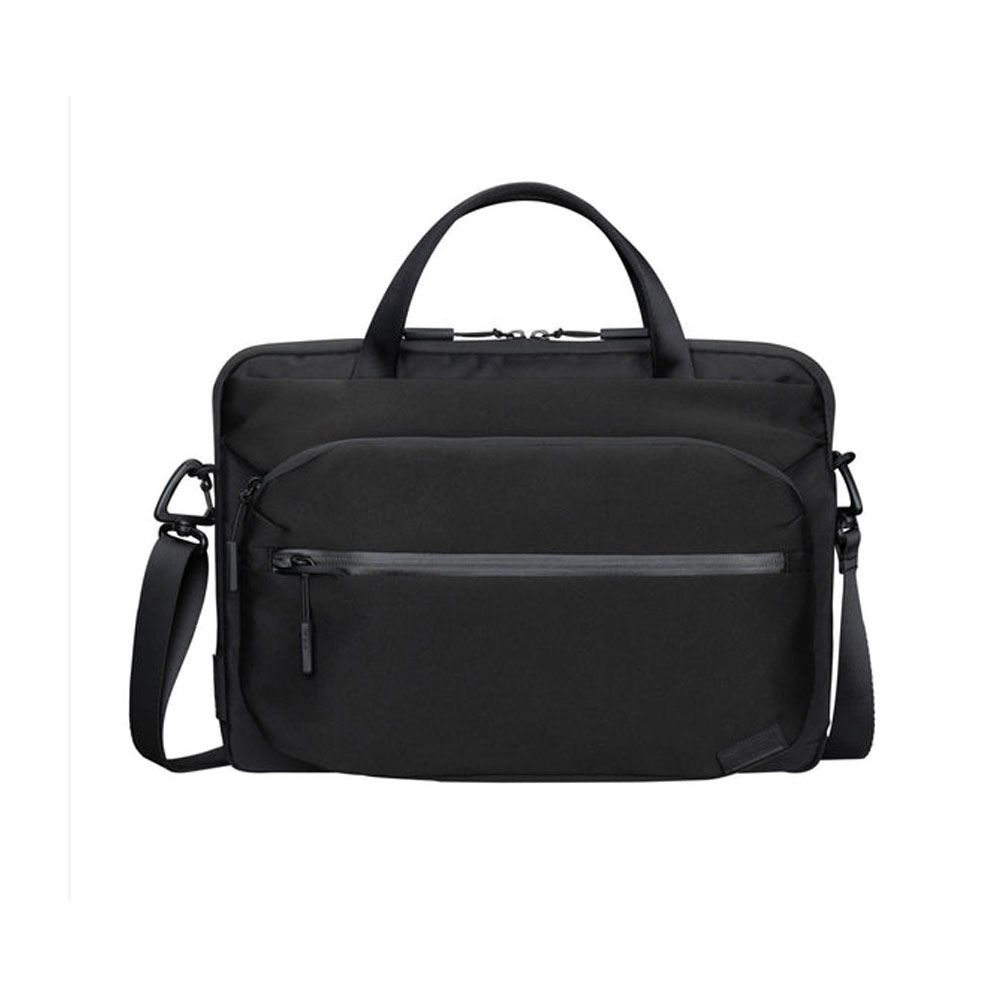
A laptop bag is built as a complete carrying system.
The term covers several styles, including:
A laptop bag normally combines the laptop section with additional space for:
- Charger
- Mouse
- Cables
- Notebook
- Documents
- Phone
- Wallet
- Small accessories
Some larger designs may also include:
- Water bottle pockets
- Travel compartments
- Tablet sleeves
- Luggage straps
The laptop itself is only one part of the bag's storage system.
The Main Difference Is Not Protection — It Is Function
It is tempting to say:
Laptop sleeve = less protection
Laptop bag = more protection
but that is not always correct.
A thick, well-fitted EVA or padded sleeve may protect a laptop better than a lightly padded laptop bag.
Likewise, a good laptop bag may provide:
- Thick foam
- Raised laptop base
- Reinforced corners
- Structured side walls
and offer considerably more protection than a thin sleeve.
So the more accurate distinction is:
Designed primarily around the device itself.
Designed around the whole carrying experience.
Protection depends on construction in both cases.
Which One Protects a Laptop Better?
If two products use similar padding, a laptop bag often has more room to add structural protection.
It can include:
- Padded front and back panels
- Side protection
- Bottom cushioning
- Raised laptop compartment
- Internal retaining strap
- Separate laptop section
But a laptop sleeve has one important advantage:
it fits closer to the device.
A properly sized sleeve reduces unnecessary movement around the laptop.
That can be useful when the device is placed inside another bag together with:
- Keys
- Cables
- Books
- Documents
The sleeve creates a protective layer between the laptop and those items.
What Does a Laptop Sleeve Actually Protect Against?
A normal padded sleeve is useful for:
- Scratches
- Surface rubbing
- Minor bumps
- Contact with other items
- Light everyday handling
It should not automatically be considered protection against:
- Severe drops
- Heavy compression
- Crushing
- Major impact
Protection depends heavily on the padding.
A thin felt sleeve and a molded EVA sleeve may both be sold as “laptop sleeves,” but their impact protection can be very different.
If protection is important, look beyond the outer material.
Useful construction details include:
Padding
Common cushioning materials include:
- Foam
- EVA
- EPE
- Sponge
- Felt
- Neoprene
Padding thickness and density both matter.
Soft Interior
A smooth lining helps reduce surface scratching.
Protected Edges
The laptop should not sit directly against a thin stitched seam with no cushioning.
Bottom Padding
The bottom edge often receives the most impact when the sleeve is placed on a desk or floor.
Proper Fit
A sleeve that is too large allows the laptop to move inside.
One that is too tight can place unnecessary pressure on the device and zipper.
Which One Has More Storage?
Laptop bag, by a large margin.
A basic sleeve may carry:
- Laptop
- Tablet
- A few documents
Some designs add one accessory pocket for:
but once large pockets, handles and several compartments are added, the product begins moving toward laptop-bag territory.
A laptop bag is more appropriate when the user regularly carries:
- Charger
- Mouse
- Headphones
- Notebook
- A4 documents
- Power bank
- Cables
- Phone
- Personal items
This is one of the clearest reasons to choose a bag over a sleeve.
Which One Is Easier to Carry?
It depends on distance.
For a Short Meeting
A laptop sleeve can be easier.
If you are simply moving:
desk → meeting room → desk
there may be no reason to carry a full laptop bag.
A sleeve keeps the device protected and takes up very little space.
For Daily Commuting
A laptop bag is usually more practical.
Handles, shoulder straps or backpack straps allow the computer and accessories to travel together.
Carrying a sleeve in one hand while carrying:
- Charger
- Water bottle
- Documents
- Phone
separately becomes inconvenient very quickly.
When Does a Laptop Sleeve Make More Sense?
A sleeve is a strong choice when the user already owns another bag.
For example:
Backpack + Sleeve
A normal backpack may have enough capacity but limited laptop padding.
Adding a sleeve creates dedicated protection without replacing the backpack.
Tote + Sleeve
A sleeve can turn a normal work tote into a more laptop-friendly carry setup.
Suitcase + Sleeve
During travel, the sleeve helps separate the laptop from other items.
Office + Sleeve
For movement between rooms, desks or buildings, the slim format may be all that is needed.
This is why a sleeve should not always be viewed as a smaller alternative to a laptop bag.
Sometimes it is an additional protective component.
When Does a Laptop Bag Make More Sense?
Choose a laptop bag when it needs to work as the user's main daily bag.
Typical situations include:
- Office commuting
- University
- Business travel
- Sales visits
- Client meetings
- Hybrid work
- Frequent laptop transportation
A well-designed laptop bag can combine:
device protection + accessories + documents + personal items
in one product.
That reduces the need to carry several separate pieces.
Can a Laptop Sleeve Be Used on Its Own?
Yes.
A sleeve can work well by itself when the user only needs:
- Laptop
- A few papers
- One small accessory
Sleeves with handles make standalone carrying easier.
However, for a full workday, storage is often the limitation rather than protection.
If the user needs a charger, mouse, notebook and personal belongings, a sleeve alone becomes less practical.
Can a Laptop Bag Have a Sleeve Inside?
Yes, and many do.
A full laptop bag often includes an internal padded compartment that is essentially a built-in sleeve.
Other designs use a removable sleeve.
Using a separate sleeve inside a laptop bag can make sense when:
- The laptop is frequently removed from the main bag
- Extra surface protection is wanted
- The same laptop moves between different bags
- The outer bag has little internal padding
However, adding two layers of thick padding is not automatically better.
The device still needs to fit comfortably without being compressed.
Laptop Sleeve vs Laptop Bag for Travel
For travel, the answer depends on how much equipment needs to move with the laptop.
Laptop Sleeve
Useful when the traveler already carries:
- Backpack
- Cabin bag
- Briefcase
- Suitcase
The sleeve protects the computer inside that larger bag.
It also makes it easier to remove the laptop separately when needed.
Laptop Bag
More suitable when the laptop and work accessories need their own dedicated carry space.
A travel-oriented laptop bag may include:
- Charger organization
- Document pocket
- Tablet compartment
- Luggage strap
- Multiple carry options
For short business trips, this can be more convenient than adding a sleeve to an unrelated bag.
Laptop Sleeve vs Laptop Bag for Office Use
For office use, consider how far the laptop actually travels.
If the laptop mostly stays in one building, a sleeve may be enough.
If the employee regularly commutes with:
- Laptop
- Charger
- Documents
- Mouse
- Personal belongings
a laptop bag is usually more practical.
For employee gift programs, the choice can also depend on whether the product is meant to be:
- A lightweight laptop accessory
- A complete work bag
These are different products even when both are branded with the same company logo.
Which One Is Better for Students?
Again, it depends on the existing carrying system.
A student who already uses a backpack may only need a sleeve.
It protects the laptop inside the backpack while leaving the main bag available for:
- Books
- Stationery
- Water bottle
- Clothing
A student who wants one dedicated computer bag may prefer:
- Laptop backpack
- Messenger bag
- Laptop tote
The sleeve is generally the simpler solution when another backpack is already part of everyday use.
How Do You Choose the Correct Laptop Size?
This is one of the most important parts of choosing either product.
A label such as:
- 13-inch
- 14-inch
- 15.6-inch
- 16-inch
refers primarily to screen size.
It does not guarantee that every laptop with the same screen size has identical external dimensions.
Different models can vary in:
- Width
- Depth
- Thickness
- Bezel size
For a sleeve in particular, the actual device dimensions matter.
A useful specification should consider:
laptop width × depth × thickness
plus enough allowance for:
- Padding
- Lining
- Zipper
- Easy insertion and removal
A close fit is good.
An excessively tight fit is not.
Why Fit Matters More for a Sleeve
A laptop bag usually provides a larger internal compartment and therefore has more tolerance.
A sleeve is designed much closer to the computer.
If it is too loose:
- Laptop movement increases
- Corners may shift inside
- The sleeve feels oversized
If it is too tight:
- The zipper may rub the laptop edge
- Inserting the computer becomes difficult
- Pressure may be placed on the device
This is why custom laptop sleeves are better developed from actual laptop dimensions rather than screen size alone.
Common Laptop Sleeve Materials
Felt
Felt is common for simple, lightweight laptop sleeves.
It provides:
- Soft surface
- Natural stiffness
- Scratch separation
- Clean appearance
It works particularly well for:
- Corporate gifts
- Office accessories
- Minimalist designs
Thicker felt can add more cushioning, but felt alone should not be treated as heavy-impact protection.
Neoprene
Neoprene is popular because it combines:
- Flexibility
- Cushioning
- Close fit
It works well for simple zippered laptop sleeves and colorful printed designs.
Polyester and Nylon
These materials can be used with foam padding to create:
- Lightweight sleeves
- Water-resistant outer surfaces
- Printed designs
- Sportier appearances
Performance depends on the fabric construction, coating and internal padding.
Canvas
Canvas gives a more textile-oriented appearance.
It can be combined with:
- Foam
- Soft lining
- Zipper
- Handles
for lifestyle and promotional laptop sleeves.
PU or Microfiber Leather
Used when the design needs a:
- Cleaner business appearance
- Smooth surface
- Fold-over structure
- Embossed or debossed logo
These materials are often used in office, executive gift and premium promotional products.
Common Laptop Bag Materials
Laptop bags use many of the same outer materials, including:
- Polyester
- Nylon
- RPET polyester
- Canvas
- PU
- Microfiber leather
But the construction is usually more complex.
A laptop bag may also include:
- Lining
- Foam
- Webbing
- Hardware
- Zippers
- Reinforcement panels
- Bottom support
Material selection therefore needs to consider the whole bag rather than just the outer fabric.
Which One Offers Better Branding?
Both can work well, but in different ways.
Laptop Sleeve
Provides a clean front or flap surface.
Suitable branding may include:
- Screen printing
- Embroidery
- Woven label
- Rubber patch
- Leather-look patch
- Embossing
- Debossing
The simple shape can make the logo visually prominent.
Laptop Bag
Provides more branding positions, such as:
- Front panel
- Pocket
- Handle
- Shoulder strap
- Lining
- Puller
- Label
This is useful when the product is being developed as a complete private-label accessory rather than a simple promotional item.
Which One Costs Less?
A basic laptop sleeve is generally less complex to manufacture than a full laptop bag.
It may require only:
- Outer material
- Padding
- Lining
- Closure
- Stitching
A laptop bag may add:
- Multiple compartments
- Handles
- Shoulder straps
- Hardware
- Additional zippers
- Reinforced bottom
- Organizer pockets
So the finished bag generally requires more material and labor.
But there are exceptions.
A premium molded or multifunctional sleeve can cost more than a basic promotional laptop bag.
The correct comparison is between actual specifications, not just product names.
What Should Buyers Check Before Ordering a Laptop Sleeve?
For a custom laptop sleeve, focus on:
- Target laptop dimensions
- Padding material
- Padding thickness
- Interior lining
- Closure
- Edge protection
- Front pocket
- Handle requirement
- Logo method
- Finished weight
The most important question is:
How much protection is actually needed?
A sleeve intended for a corporate welcome kit does not necessarily need the same construction as a sleeve designed for frequent travel.
What Should Buyers Check Before Ordering a Laptop Bag?
For a laptop bag, the list is broader.
Check:
- Laptop compartment dimensions
- Main bag size
- Padding
- Bottom protection
- Pocket layout
- Charger storage
- Handle construction
- Shoulder strap
- Hardware
- Zippers
- Lining
- Expected carrying load
More pockets are not always better.
Each compartment should correspond to something the intended user is likely to carry.
Laptop Sleeve vs Laptop Bag for Different Uses
| Use |
Better Starting Point |
Why |
| Laptop inside existing backpack |
Sleeve |
Adds protection without another bag |
| Short office meetings |
Sleeve |
Slim and easy to carry |
| Daily office commute |
Laptop bag |
Carries laptop and accessories together |
| University with existing backpack |
Sleeve |
Keeps device separate from books |
| Business travel |
Either |
Depends on existing luggage |
| Corporate welcome kit |
Sleeve |
Compact and easy to distribute |
| Employee work bag |
Laptop bag |
More complete daily-use product |
| Minimalist carry |
Sleeve |
Less bulk |
| Charger + mouse + documents |
Laptop bag |
Better organization |
| Premium work accessory |
Either |
Depends on design and function |
Do You Need Both?
Sometimes, yes.
A laptop sleeve and laptop bag do not necessarily compete.
They can perform two different roles:
Sleeve = close protection
Bag = carrying and organization
A user may keep the laptop in a sleeve and then place it inside:
- Backpack
- Tote
- Briefcase
- Travel bag
This makes particular sense when the outer bag does not have a sufficiently protective laptop compartment.
But if the laptop bag already has:
- Good padding
- Secure fit
- Soft lining
- Bottom protection
an additional sleeve may simply add unnecessary bulk.
Common Mistakes When Choosing Between a Sleeve and Bag
Choosing Only by Screen Size
A 14-inch laptop sleeve does not automatically fit every 14-inch laptop.
Check the actual device dimensions.
Assuming More Padding Always Means Better Protection
Padding also needs:
- Correct placement
- Good fit
- Stable construction
Very soft thick foam around a loose laptop may still allow excessive movement.
Buying a Sleeve When You Need Storage
If charger, mouse and documents are carried every day, the lack of storage quickly becomes inconvenient.
Buying a Large Laptop Bag for One Device
If the user only moves a laptop between nearby locations, a full work bag may add unnecessary weight and bulk.
Treating “Water-Resistant” as “Waterproof”
A coated outer fabric may resist light rain, but water can still enter through:
Waterproof claims should only be used when the entire construction supports them.
Ignoring the Bottom of the Bag
The laptop's bottom edge can receive impact when the bag is placed on hard surfaces.
Bottom padding can matter as much as the front and back panels.
FAQ
What is the main difference between a laptop sleeve and a laptop bag?
A laptop sleeve is mainly designed to protect the laptop itself, while a laptop bag is designed to carry the laptop together with accessories and other daily items.
Is a laptop sleeve enough to protect a laptop?
For scratches, rubbing and normal light bumps, a well-padded sleeve can provide useful protection. It is not automatically suitable for severe drops or heavy compression.
Is a laptop bag safer than a sleeve?
Not always. A well-padded sleeve can protect better than a poorly padded bag. Compare padding, bottom protection, structure and fit rather than the product name alone.
Can I carry a laptop sleeve by itself?
Yes. A sleeve works well for short-distance carrying, meetings or minimalist use. For commuting with chargers and other belongings, a laptop bag is usually more convenient.
Should a laptop sleeve fit tightly?
It should fit closely without putting pressure on the device. The laptop should not move excessively, but it should also slide in and out without forcing the zipper or seams.
Is laptop screen size enough to choose a sleeve?
No. Screen size is only a starting point. Laptop width, depth and thickness can vary between models with the same advertised screen size.
Can I put a laptop sleeve inside a laptop bag?
Yes. This can add another protective layer, especially if the outer bag has limited padding. If the laptop bag already has a well-designed padded compartment, an extra sleeve may not be necessary.
Which is better for commuting?
A laptop bag is usually more practical for commuting because it provides space for the laptop, charger, documents and personal items in one carry system.
Conclusion
A laptop sleeve and a laptop bag solve different problems.
Choose a laptop sleeve when you want:
- A slim protective layer
- Minimal weight
- Bag-in-bag use
- Simple office carry
- Protection without extra storage
Choose a laptop bag when you want:
- Laptop protection
- Charger and accessory storage
- Documents and personal items
- Handles or shoulder straps
- One complete work or commuting bag
If you already use a backpack, tote or briefcase, a sleeve may be all you need.
If the laptop bag needs to replace your everyday work bag, choose a full laptop bag with a properly sized padded compartment.
Whichever style you choose, protection should be judged by fit, padding, edge and bottom construction, not simply by whether the product is called a sleeve or a bag.
Inquiry Support
For a custom laptop sleeve or laptop bag project, you can provide:
- Target laptop model or device dimensions
- Estimated quantity
- Preferred sleeve or bag style
- Required material
- Padding requirements
- Pocket and compartment requirements
- Handle or shoulder strap requirements
- Logo artwork
- Required colors
- Packaging requirements
If you have not finalized all details, you can first send your intended use and target quantity, and we can recommend a suitable specification.
Related Products





 Hot News