What Is a Laptop Sleeve: Materials, Padding and Size Guide
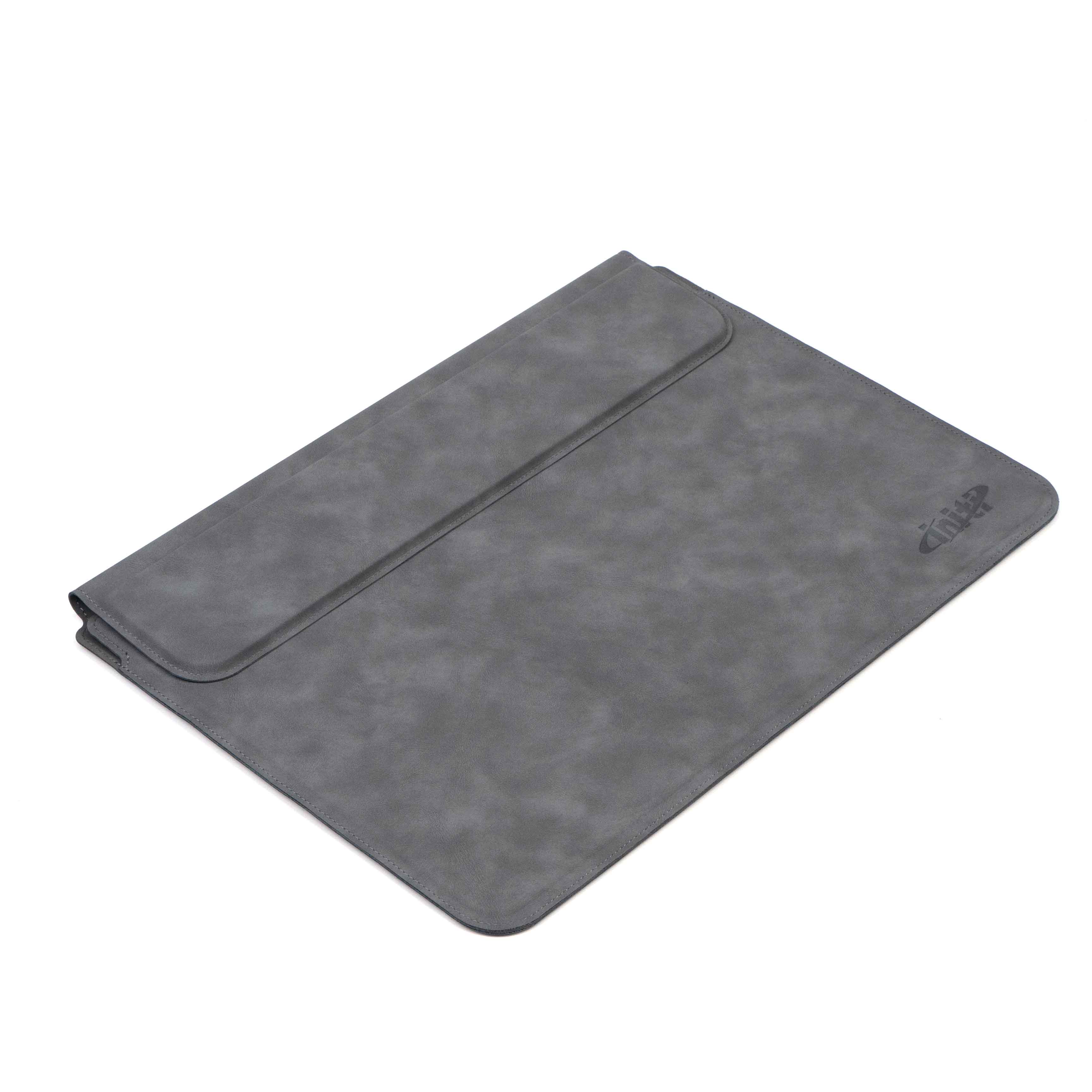
A laptop sleeve is a slim protective cover designed to fit around a laptop computer. It helps prevent scratches, separates the device from other items and, when properly padded, provides cushioning against everyday bumps.
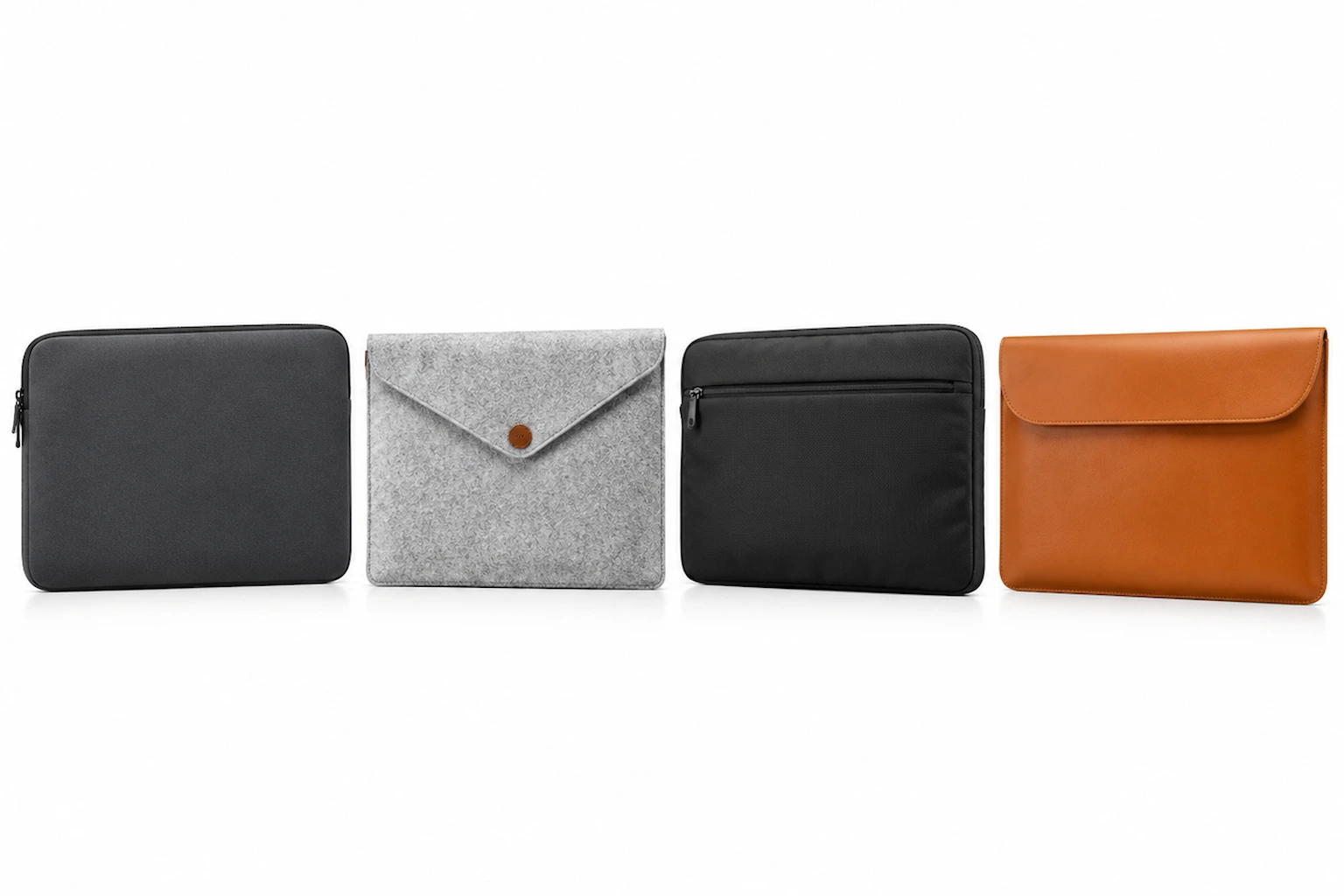
Laptop sleeves come in several designs, from simple felt envelopes and flexible neoprene covers to padded zippered cases and structured protective sleeves.
The differences matter. A sleeve used inside a padded backpack does not necessarily need the same construction as one carried by hand every day.
A well-designed laptop sleeve should answer three practical questions: Does the laptop fit correctly? Is the padding placed where protection is needed? Will the sleeve work under the intended carrying conditions?
This guide explains laptop sleeve materials, padding structures, size selection and the details worth checking before purchasing or developing custom laptop sleeves.
1. What Is a Laptop Sleeve Used For?
A laptop sleeve is designed to provide an additional protective layer around a portable computer.
Its most common applications include:
- Scratch protection: Separating the laptop from keys, documents, cables and other items inside a larger bag.
- Everyday cushioning: Reducing direct contact with hard surfaces and absorbing part of the force from minor bumps.
- Bag-in-bag organization: Keeping the laptop in a dedicated protective cover inside a backpack or tote.
- Short-distance carrying: Providing a compact option for moving between offices, meetings or classrooms.
- Corporate and retail accessories: Offering a practical product that can be customized for laptop brands, schools, employee kits and promotional programs.
The important distinction is that a sleeve is primarily a protective cover. Some models also function as small carrying bags, but that is a design choice rather than a defining feature.
For a detailed comparison, see Laptop Sleeve vs Laptop Bag: What's the Difference?.
2. What Types of Laptop Sleeves Are Available?
Most laptop sleeves fall into three practical protection categories.
| Sleeve Design |
Typical Construction |
Best Use |
| Slim everyday sleeve |
Felt, fabric or thin laminated material with little additional padding |
Scratch separation inside another protective bag |
| Padded laptop sleeve |
Textile shell, cushioning layer, soft lining and secure closure |
Daily commuting, school and office use |
| Structured protective sleeve |
Molded or semi-rigid panels with reinforced edges and corners |
More demanding handling or standalone carrying |
Slim Everyday Sleeves
A basic felt or fabric sleeve keeps the laptop separated from surrounding objects without adding much bulk.
It can be suitable when the laptop is already carried inside a backpack with its own padded computer compartment.
For this type, material softness, fit and closure placement matter more than a thick foam specification.
Padded Zippered Sleeves
A padded laptop sleeve adds a cushioning layer between the outer fabric and the laptop.
Common features include a full-length zipper, soft lining and optional front accessory pocket.
This is a practical starting design for everyday commuting because it combines protection, easy access and relatively compact dimensions.
Structured Protective Sleeves
Structured sleeves use firmer cushioning, molded panels or a semi-rigid shell.
These designs can provide additional support around exposed edges and corners.
For example, the Thule Gauntlet uses a rigid exterior with enhanced edge and corner protection.
The trade-off is additional bulk, weight and manufacturing complexity.
The right choice depends on whether the sleeve is used inside another bag or carried as the main protective enclosure.
3. What Materials Are Laptop Sleeves Made From?
The outer material determines much of a sleeve's appearance, feel and durability. However, it should not be confused with the internal cushioning material.
| Material |
Practical Characteristics |
Suitable Designs |
| Neoprene |
Flexible laminated foam construction, close-fitting appearance |
Slim padded sleeves |
| Polyester |
Wide choice of woven fabrics, coatings and colors |
Everyday padded sleeves |
| Nylon |
Lightweight woven options with different surface finishes |
Commuter and travel sleeves |
| Felt |
Soft nonwoven surface, minimalist appearance |
Office sleeves and gift sets |
| Canvas |
Woven texture, substantial feel and branding options |
Lifestyle laptop covers |
| PU leather |
Smooth, more formal appearance |
Executive sleeves and fold-over designs |
| RPET polyester |
Recycled polyester fabric options |
Recycled-content accessory programs |
Neoprene: Flexible and Close-Fitting
Neoprene laptop sleeves commonly use a foam core with textile laminated to the surface.
This produces a flexible construction that can fit relatively closely around a device.
Neoprene is useful for simple zippered sleeves and compact designs.
However, a 3 mm neoprene laminate should not automatically be considered equivalent to a separate 3 mm protective foam layer. The materials can differ in density, compression behavior and construction.
Polyester and Nylon: Versatile Outer Fabrics
Polyester and nylon are commonly used with separate foam padding and soft linings.
They offer options for printed colors, surface texture, coatings and branded decorations.
For a daily commuter sleeve, a woven polyester shell with appropriate cushioning and a smooth lining is often a straightforward construction to develop.
A heavier outer fabric is not necessarily more protective. It is usually more useful to improve padding coverage and corner construction first.
Felt: Simple and Suitable for Office Gifts
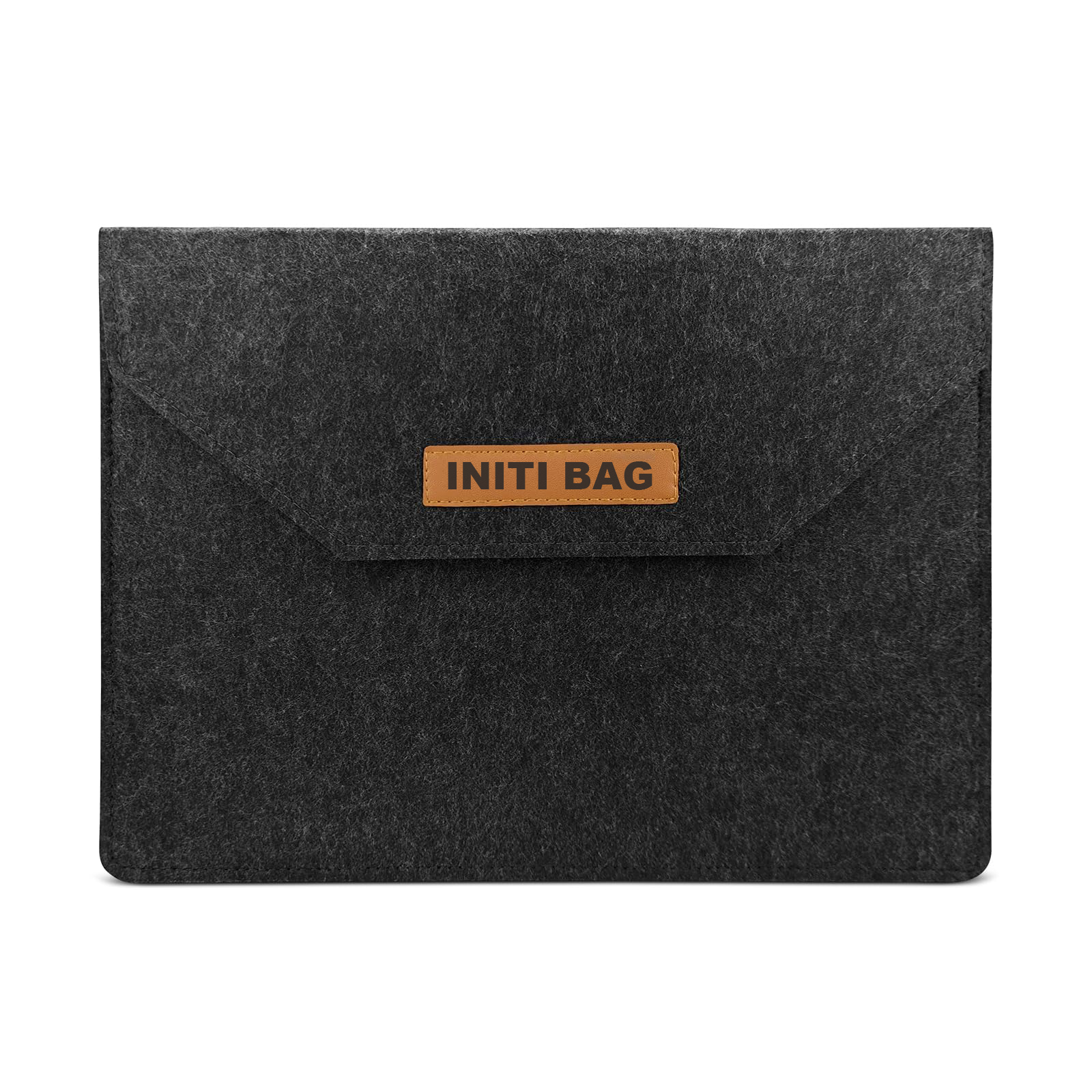
Felt is often used for envelope-style laptop sleeves and minimalist office accessories.
It can help separate the computer from abrasive objects while providing a clean surface for a label or logo patch.
The main limitation is that felt alone may not provide sufficient cushioning for buyers who need protection against concentrated impacts.
For higher-protection projects, felt can be combined with an additional foam layer.
Read the detailed comparison in Neoprene vs Felt Laptop Sleeves.
Canvas, PU Leather and RPET
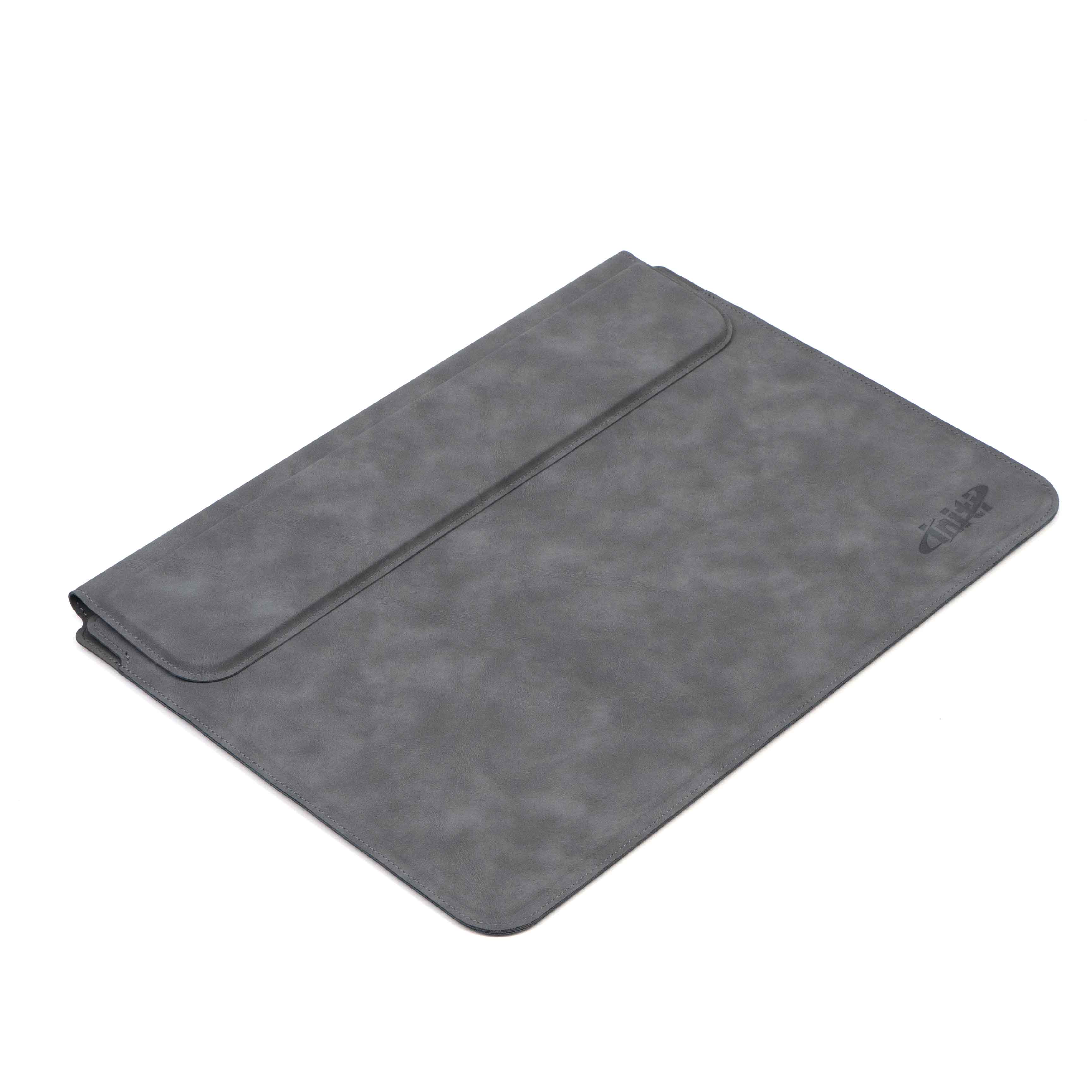
Canvas is suited to lifestyle collections, while PU leather is useful for slim, executive-style designs.
RPET polyester can be selected for projects requiring recycled polyester content and appropriate traceability documentation.
These materials primarily define the outer appearance and surface characteristics. The padding structure still determines much of the cushioning behavior.
4. How Does Laptop Sleeve Padding Work?
Most padded laptop sleeves use a layered construction.
| Layer |
Main Function |
Common Options |
| Outer fabric |
Appearance, wear resistance and first contact with the environment |
Polyester, nylon, canvas, PU leather |
| Cushioning layer |
Compresses during contact and provides a buffer |
EVA, PE/XPE, PU foam or suitable laminated foam |
| Inner lining |
Keeps the device away from rough seams and surfaces |
Soft polyester, tricot, brushed lining |
Not every laptop sleeve uses three separate materials. A neoprene laminate, for example, may combine the textile surfaces and foam core into one composite material.
EVA Foam
Foamed EVA is useful for padded panels, shaped inserts and selected molded protective structures.
Its flexibility and cushioning depend on the foam grade, density, thickness and manufacturing process.
EVA is worth considering when a project needs a more defined protective shape or localized reinforcement.
PE, XPE and PU Foam
Polyethylene-based foams, including selected cross-linked PE (XPE) grades, can be used for lightweight cushioning.
Flexible polyurethane foam is another option for soft padded panels.
Different foam families have different compression and recovery characteristics.
For reference, Dell's Pro 5 EcoLoop Sleeve 14 specifies XPE foam padding in its product information.
A buyer comparing different foam materials should ask for samples rather than assuming that one material name guarantees better protection.
How Thick Should the Padding Be?
A useful way to develop a custom sleeve is to compare samples with different padding configurations.
For example, a factory may prepare one slim version, one moderately padded version and one design with additional corner protection.
If comparing foam thicknesses such as 2 mm, 4 mm and 6 mm, these should be treated as trial specifications, not universal protection grades.
The final choice depends on:
- Foam grade and compression behavior
- Whether padding covers the entire panel
- Protection around the bottom and corners
- The device's weight and dimensions
- How much additional bulk is acceptable
A thicker center panel does not help much if the laptop's bottom corners remain poorly cushioned.
For applicable polyurethane foams, ASTM D3574 provides methods for evaluating material properties. These are foam tests, not finished-sleeve impact ratings.
5. Where Should the Padding Be Placed?
For laptop sleeves, padding location can be as important as padding thickness.
Front and Back Panels
The two large panels should provide reasonably consistent cushioning.
Unevenly positioned foam, large gaps or displaced padding can create inconsistent protection.
The foam should remain in place during repeated insertion and removal of the laptop.
Bottom Edge
The bottom edge is important because users regularly place laptop sleeves on desks, chairs or floors.
If the laptop rests directly against the outer seam, there may be little cushioning at the point of contact.
Possible improvements include an extended foam layer, a cushioned bottom gusset or a raised internal support that keeps the device away from the outer base.
A suspended or raised-bottom design should be evaluated with the intended device weight because an unloaded sample can give a misleading impression of clearance.
Corners
Corners are common contact points when a sleeve is knocked against furniture or dropped accidentally.
A basic flat foam panel may leave little cushioning at the corner where seam allowances meet.
For higher-protection designs, buyers can consider additional corner foam, molded cushioning or a semi-rigid shell.
This is often a more meaningful upgrade than simply adding another layer across the center of the bag.
Zipper Area
Zipper teeth, sliders and other hardware should not rub directly against the laptop.
An internal zipper guard or protective fabric welt can help separate the device from the zipper.
The opening should also be large enough to insert the laptop without forcing its corners past the zipper ends.
Front Accessory Pocket
A front pocket is convenient for a mouse, charging cable, notebook or other accessories.
However, a bulky power adapter placed directly against the laptop can create concentrated pressure.
For a sleeve intended to carry hard accessories, a separate gusseted pocket or an additional divider can help keep them from pressing against the screen.
6. Laptop Sleeve Size Guide: How to Find the Right Fit
Laptop sleeve sizing causes problems because brands often advertise products using the screen diagonal.
A "14-inch laptop" refers approximately to the display size, not the external dimensions of the closed computer.
Different laptop models can have different widths, depths, thicknesses and corner shapes even when the screen sizes match.
Common Laptop Sleeve Size Categories
| Marketed Size |
Typical Device Category |
What to Check |
| 11–12 inches |
Compact laptops and some tablets |
Actual body dimensions |
| 13–13.6 inches |
Compact ultrabooks |
Width, depth and hinge profile |
| 14 inches |
Business laptops |
Body size and opening clearance |
| 15–15.6 inches |
Mainstream work and study laptops |
Internal space and thickness |
| 16 inches |
Larger professional laptops |
Chassis dimensions and corner fit |
| 17 inches and above |
Workstations and gaming laptops |
Device thickness and overall footprint |
These are sales categories, not standardized internal sleeve dimensions.
Measure the Laptop, Not Just the Screen
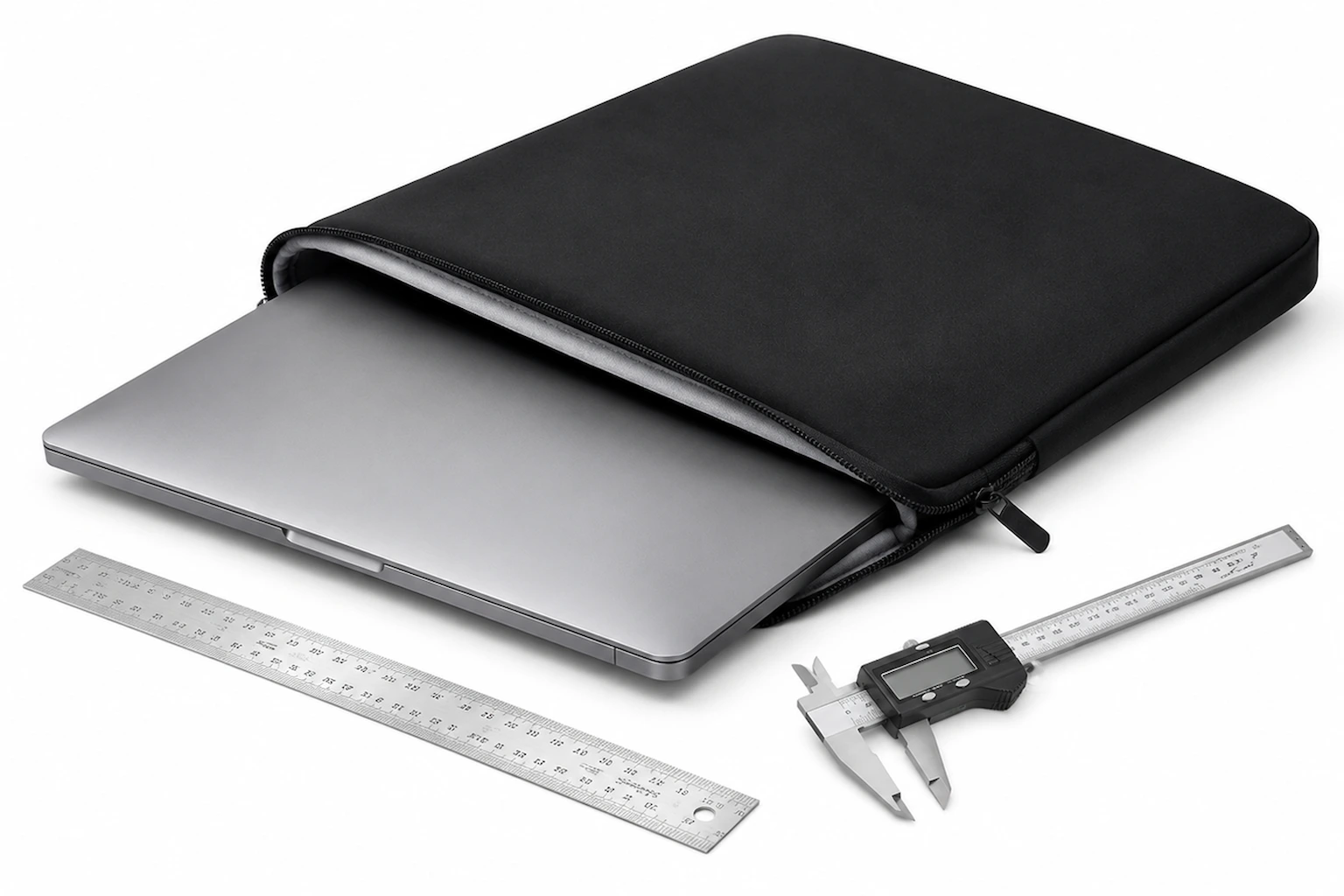
Close the laptop and record:
Width: Left edge to right edge.
Depth: Front edge to rear hinge.
Thickness: Maximum thickness when closed, including relevant protrusions.
Use millimeters where possible.
The Dell laptop measurement guide also recommends checking the computer's full dimensions.
Compare Against Usable Internal Dimensions
The external size of a sleeve includes fabric, padding, seams and binding.
Therefore, buyers should compare the device with the usable interior, not only the bag's external measurements.
For example, Dell markets a Pro 5 EcoLoop sleeve for laptops up to 14 inches but also publishes maximum supported device dimensions of 330 × 235 × 20 mm.
That physical size limit is far more useful than the 14-inch label alone.
View Dell's product specification.
How Much Clearance Is Needed?
A laptop should slide into the sleeve without excessive force.
The zipper should close naturally without pressing hard against the laptop corners.
At the same time, the computer should not move excessively inside the sleeve during normal carrying.
There is no universal allowance because different constructions behave differently.
For an illustrative fit trial:
| Measurement |
Example |
| Laptop body |
305 × 215 × 16 mm |
| Trial usable internal space |
313 × 223 × 22 mm |
| Total dimensional difference |
8 mm width, 8 mm depth, 6 mm thickness |
This is an example for sample development, not a fixed sizing formula.
A stretchable neoprene sleeve, a flat felt envelope and a structured EVA case may require different clearances.
The final sample should be tested with the intended laptop model.
Check the Outer Carrying Bag Too
For a sleeve designed to fit inside a backpack or tote, the buyer must check two separate dimensions:
A well-padded sleeve may fit the laptop correctly but become too bulky for the intended backpack.
7. How to Choose a Laptop Sleeve for Impact and Water Protection
The most useful question is not whether a laptop sleeve is described as shockproof or waterproof.
It is whether the construction matches the way the laptop will actually be carried.
For Scratch Protection Inside a Backpack
Choose a slim sleeve with a soft interior and a close, comfortable fit.
A felt envelope or lightweight neoprene sleeve may be enough when the outer backpack already has suitable cushioning and keeps the laptop away from hard objects.
Extra-thick padding may add unnecessary bulk without offering much practical benefit in this situation.
For Daily Commuting
A padded zippered sleeve is generally a better starting point.
Look for continuous cushioning, a protected zipper, a padded bottom and secure laptop fit.
If the sleeve will be carried independently, also check the handle attachment and how the laptop sits inside the bag when lifted.
For More Demanding Impact Protection
Prioritize the bottom and corners.
A semi-rigid construction, reinforced corner cushions or molded EVA panels may be appropriate.
The goal is to provide a cushioning path where the sleeve is likely to strike a surface, not just make the front and back panels thicker.
For custom development, compare prototypes with the same representative laptop load and agreed impact conditions.
Testing should use appropriate dummy devices or test fixtures rather than risking a customer's working laptop.
For Occasional Rain and Splashes
Choose a suitable water-resistant outer fabric and pay attention to the closure.
A covered zipper, protective flap and appropriate seam design may reduce direct rain entry.
The zipper is frequently the weak point.
Even YKK AquaGuard, a specialized water-resistant zipper, is described by its manufacturer as water-resistant rather than watertight.
For ordinary office commuting, a padded sleeve inside a rain-protected backpack is often more practical than relying on a single sleeve as the only moisture barrier.
For Heavy Rain or Outdoor Exposure
A conventional zippered laptop sleeve is not the best primary rain barrier.
Use an appropriate waterproof enclosure or weather-protective outer carrying system, while keeping sufficient cushioning around the device.
Water protection and impact protection are separate design functions. One does not replace the other.
Practical Protection Selection
| Carrying Situation |
Recommended Starting Construction |
| Inside a padded office backpack |
Slim soft-lined sleeve |
| Daily commuting and meetings |
Padded zippered sleeve with bottom protection |
| Independent carrying |
Padded sleeve with secure handle and protected edges |
| Frequent bumps or rough handling |
Structured design with reinforced corners |
| Occasional light rain |
Water-resistant shell and protected opening |
| Frequent heavy rain |
Padded sleeve plus a suitable waterproof outer enclosure |
8. How Should Buyers Check a Laptop Sleeve Sample?
A good sample review should answer practical questions before the order enters production.
Use an actual target laptop for routine fit checks. Use a dimensionally and weight-representative dummy for any activity that may damage the device.
| Sample Check |
How to Check |
What to Look For |
| Device fit |
Insert and remove the laptop several times |
Easy access without forcing the zipper |
| Closed fit |
Close the sleeve with the device inside |
No excessive pressure or large internal movement |
| Bottom cushioning |
Check the loaded bottom edge |
Laptop does not rest directly against an unprotected hard seam |
| Corner construction |
Inspect padding and corner shape |
No obvious unpadded gaps at critical edges |
| Zipper protection |
Check the interior around the opening |
Teeth and slider do not rub against the laptop |
| Accessory pocket |
Load the intended charger or mouse |
Hard items do not press sharply against the device |
| Backpack compatibility |
Put the loaded sleeve in the intended bag |
Sleeve fits without excessive compression |
| Moisture screening |
Use absorbent paper inside a sample during controlled light spraying |
Identify obvious entry paths at openings and seams |
| Packing recovery |
Examine the sleeve after representative carton packing |
No unacceptable foam distortion or permanent creases |
A light spray check is useful for comparing prototypes but should not be treated as a formal waterproof rating.
If a project requires a specific impact level, the test setup, drop orientation, representative load and acceptance criteria should be agreed before mass production.
Three Common Problems Found During Sampling
Problem 1: The laptop fits, but the zipper is difficult to close.
Possible cause: insufficient opening clearance or a tight internal corner.
Practical solution: adjust the zipper opening, corner radius or internal dimensions rather than simply making the entire sleeve larger.
Problem 2: The front and back feel padded, but the bottom is thin.
Possible cause: the foam panels terminate before the bottom seam.
Practical solution: extend the cushioning, redesign the bottom gusset or add a raised internal support.
Problem 3: The sleeve looks good empty but becomes bulky with accessories.
Possible cause: the front pocket has insufficient depth or places hard objects directly against the laptop.
Practical solution: move the accessory pocket away from the computer surface, add a gusset or use a separate accessories pouch.
These construction changes often deliver more value than increasing every material specification.
9. What Should Buyers Specify for Custom Laptop Sleeves?
An effective OEM brief should describe the device and actual use before selecting the material.
| Specification |
Information to Provide |
| Target laptop |
Brand, model or width × depth × thickness |
| Intended use |
Backpack insert, office carry, travel or corporate gift |
| Protection priority |
Scratch separation, everyday cushioning or enhanced corner protection |
| Outer fabric |
Neoprene, polyester, nylon, felt, PU leather, canvas or RPET |
| Padding |
Material type, trial thickness and desired construction |
| Lining |
Soft device-contact surface and required finish |
| Closure |
Zipper, flap or hook-and-loop |
| Functional details |
Handle, front pocket, zipper guard, bottom reinforcement |
| Branding |
Printed logo, woven label, patch, embossing or embroidery |
| Packaging |
Individual packing, carton dimensions and presentation requirements |
| Approval |
Device fit, construction, appearance and agreed functional checks |
Three Practical Development Directions
Option A: Slim Promotional Sleeve
A simple felt or lightweight neoprene design with minimal bulk, basic closure and visible branding.
Suitable for company onboarding packs, schools and gift programs where the laptop is usually carried inside another bag.
Option B: Everyday Padded Laptop Sleeve
A polyester or nylon shell, suitable cushioning, soft lining, zipper guard and reinforced bottom construction.
Suitable for retail accessories, office commuting and everyday travel.
Option C: Enhanced Protective Sleeve
A stronger outer structure, molded or reinforced corners, padded edges and additional protection around the laptop opening.
Suitable for buyers who prioritize device protection and accept greater thickness, weight and development complexity.
These are development directions rather than guaranteed product performance grades.
For retail programs covering several laptop models, the most reliable process is to build a compatibility list using actual device dimensions and approve the corresponding sample size for each range.
10. Frequently Asked Questions
Q1. What is the difference between a laptop sleeve and a laptop bag?
A sleeve is a close-fitting protective cover, often used inside another bag. A laptop bag is a larger carrying product with dedicated storage for accessories and personal items.
Q2. Is a 14-inch laptop sleeve suitable for every 14-inch laptop?
No. Screen size does not determine the chassis dimensions. Compare the computer's width, depth and thickness with the sleeve's usable interior and opening.
Q3. How thick should laptop sleeve padding be?
There is no single thickness suitable for every design. Compare foam samples for the intended device and check padding coverage, compression, edge protection and overall bulk.
Q4. What makes a laptop sleeve better for accidental bumps?
Continuous cushioning, protected bottom edges, reinforced corners and a secure fit are generally more useful than thick center panels alone.
Q5. Can laptop sleeves be made with custom materials, sizes and logos?
Yes. OEM projects can specify materials, padding, interior dimensions, closures, pockets, handles, branding and packaging. Samples should be approved with the intended devices and carrying conditions.
Conclusion
A good laptop sleeve is not defined by the thickest padding or the most expensive outer material.
It should fit the intended laptop, keep hard objects away from its surfaces and place cushioning where everyday contact is most likely.
For office and school use, a slim sleeve may be enough. For daily commuting, padded panels, a protected zipper and a cushioned bottom become more important. For rougher handling, reinforced corners and a structured protective design may be worth considering.
The most reliable sizing method is to measure the laptop body and compare those dimensions with the sleeve's usable interior.
For custom buyers, the best results come from selecting materials and padding based on real carrying conditions, then approving the construction with representative devices before bulk production.
Recommended Products
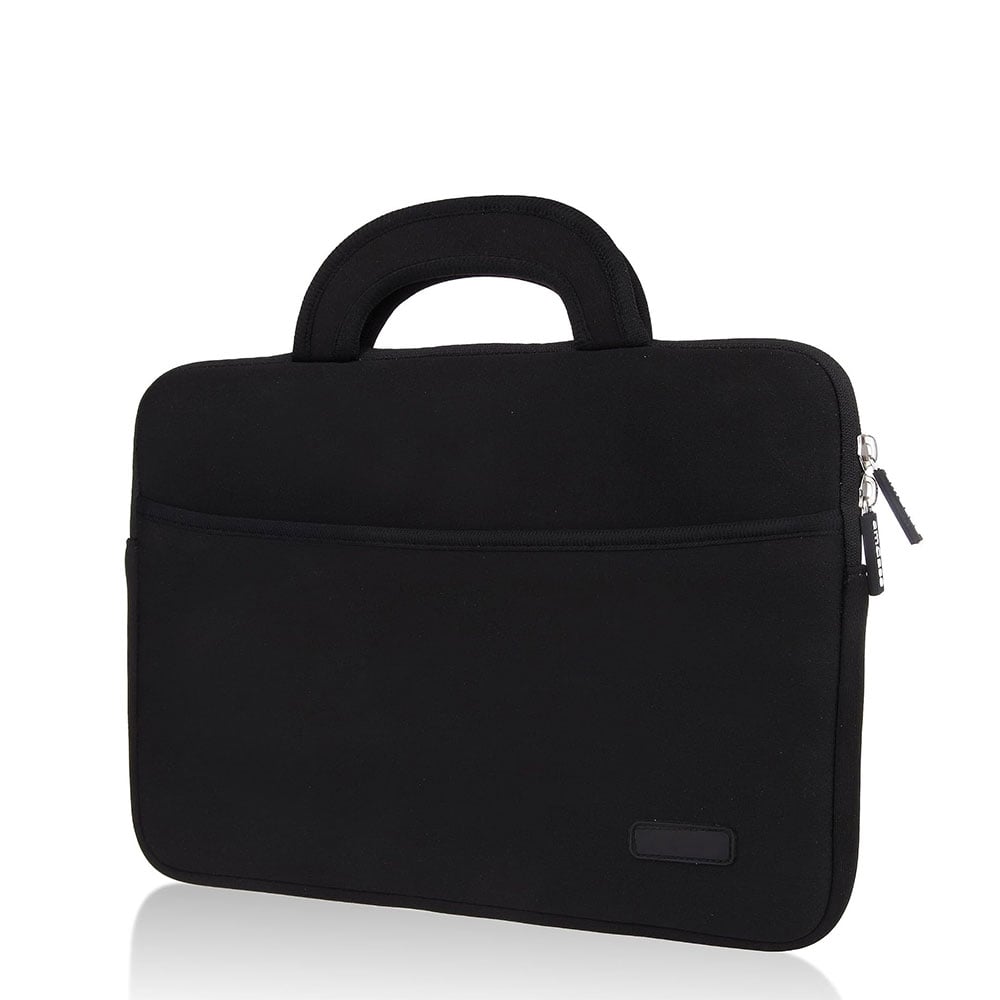
1. Neoprene Laptop Sleeve with Handle
A flexible laptop sleeve with a zippered main compartment, front pocket and integrated carrying handle.
Best for: Compact everyday carrying, retail tech accessories, student programs and branded gifts.
What to customize: Laptop fit, foam construction, handle attachment, zipper guard and logo.
View Neoprene Laptop Sleeve with Handle
2. Envelope-Style Felt Laptop Sleeve with Velcro Closure
A slim felt sleeve with a fold-over flap and hook-and-loop fastening.
Best for: Office accessories, corporate onboarding kits and bag-in-bag organization.
What to customize: Felt specification, device size, flap alignment, closure and logo patch.
View Envelope-Style Felt Laptop Sleeve
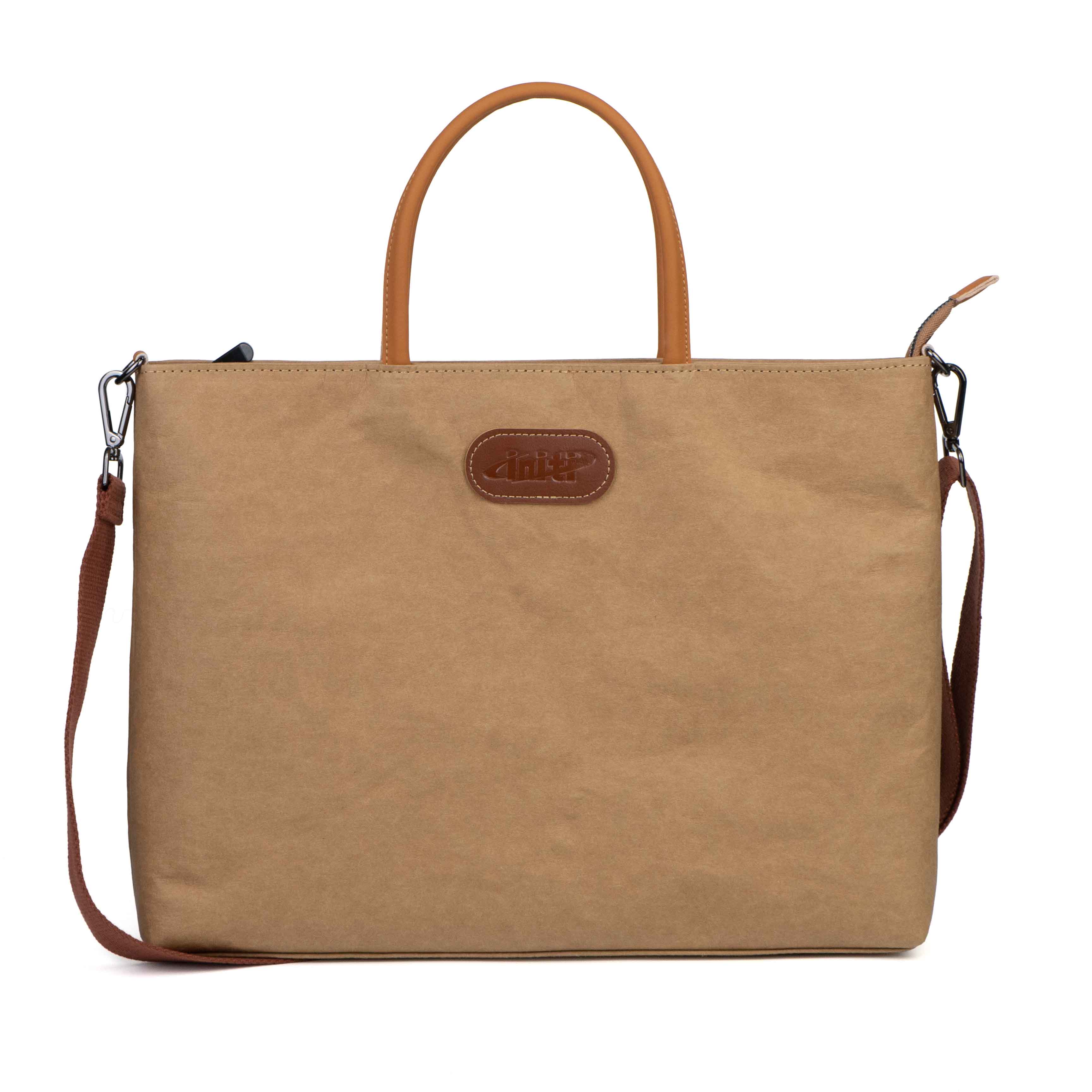
3. Custom Protective Laptop Sleeve Bag with Front Pocket
A zippered laptop sleeve featuring a separate front storage pocket and customizable fabric options.
Best for: Office supply brands, schools, electronics retailers and private-label collections.
What to customize: Material, padding placement, laptop dimensions, front pocket depth and branding.
View Custom Protective Laptop Sleeve Bag
Browse more options in the INITI Laptop Bag Collection.
Inquiry Support
INITI has over 16 years of OEM and ODM bag manufacturing experience, supporting laptop sleeves and office accessories for brands, retailers, importers and corporate buyers.
With two manufacturing facilities, INITI provides material selection, custom pattern development, padding construction, sample evaluation and bulk production.
We also offer free design support and fast quotations.
To develop a custom laptop sleeve, email [email protected] with your target device model or dimensions, intended use, material preferences, protection requirements, logo artwork, estimated order quantity and destination market.
Related Blog Articles
References


 Hot News